
Surgical purge of system junk & browser caches.
DiskUni's Cleaner module provides a surgical, non-destructive cleaning engine designed to safely remove gigabytes of accumulated operating system junk, browser shader caches, installer remnants, crash logs, and thumbnail databases. Unlike blunt cleaners that risk breaking Windows updates or deleting your saved browser passwords, DiskUni enforces strict 100% safe heuristic rules with byte-by-byte dry-run previews.
Enforces strict safety whitelists; never deletes active session locks
Chrome, Edge, Firefox, Brave, Arc, Opera, and Vivaldi
Average storage recovered across typical desktop systems
Inspect every file path and byte size before authorizing deletion
100% Safe Verification Whitelist
Every file target is validated against an active system whitelist. Essential OS binaries, saved logins, and active locks are never touched.
Multi-Browser Cache Optimizer
Purges bloated GPU shader caches, stale HTTP caches, and service worker blobs across Chrome, Edge, Brave, and Firefox.
Thumbnail & Icon Database Reset
Cleans corrupt or oversized Windows thumbnail databases (thumbcache_*.db), resolving Explorer lag and reclaiming gigabytes.
Crash Dump & Error Log Purge
Removes forgotten Windows memory dumps (MEMORY.DMP), installer logs, and diagnostic telemetry archives.
Deep Heuristic Scan
DiskUni evaluates over 120 known OS and browser junk repositories across all user accounts.
Granular Category Review
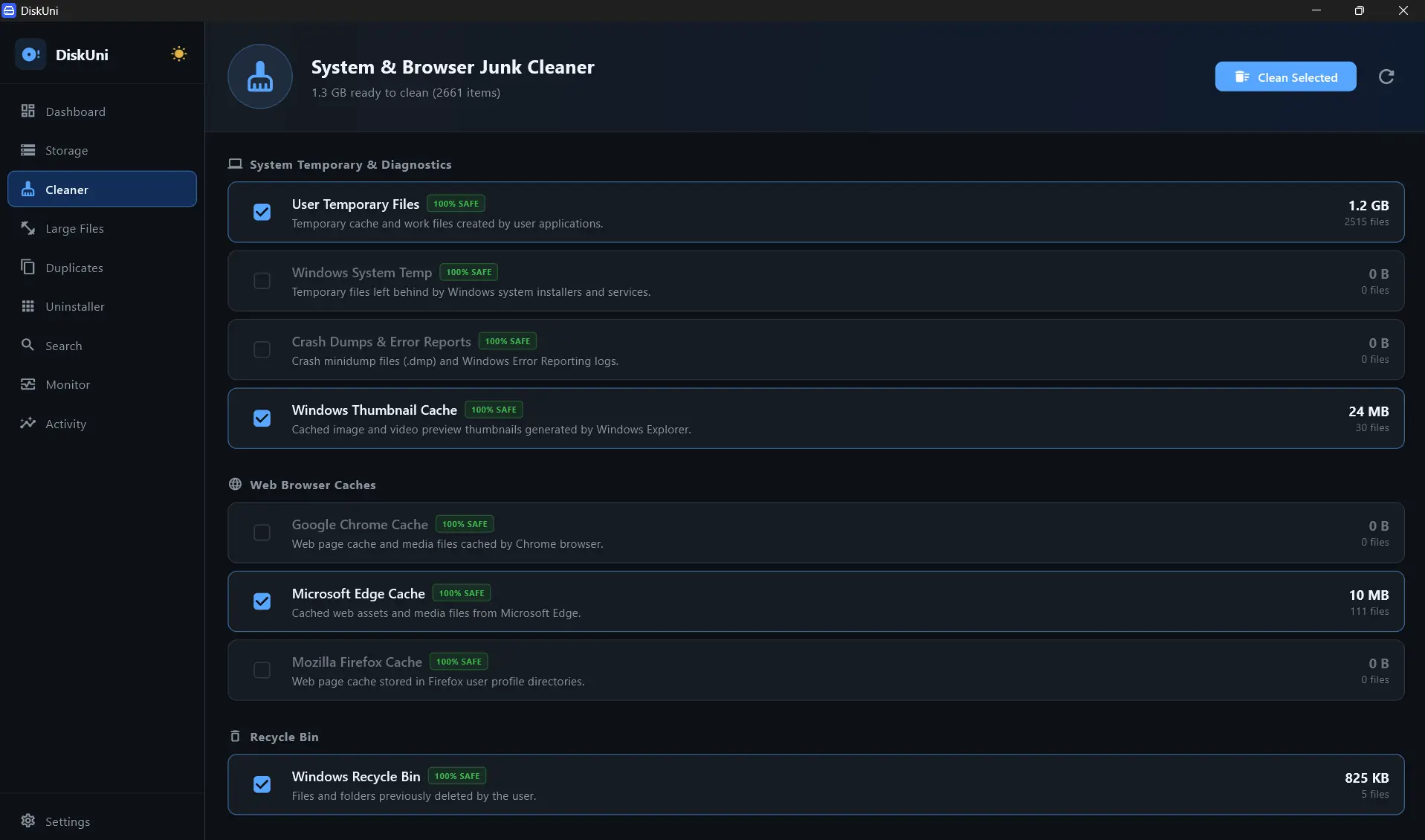
Inspect individual categories (System Temp, Browser Caches, Crash Reports, Recycle Bin) with exact file counts.
Surgical 1-Click Purge
Click 'Clean Selected' to execute the purge. Reclaimed space is logged to your activity journal instantly.
Select All Safe Categories
Quickly toggle all recommended 100% Safe categories for instant cleanup.
Perform Dry-Run Audit
Generates an exact text log of all purge targets without deleting any data.
Will cleaning browser caches log me out of my websites?
No! DiskUni specifically targets volatile HTTP cache chunks, shader caches, and temporary media assets while strictly preserving your cookies, saved passwords, and browser history.
What happens if a file is currently open in another program?
DiskUni detects active operating system file locks and gracefully bypasses locked files without throwing errors or causing system instability.
Can I undo a cleanup action?
Yes! If you enable the Safe Staging mode, cleaned files are kept in a compressed quarantine pool for 7 days before permanent deletion.
Reclaim your drive's storage in seconds.
No subscriptions. No cloud uploads. Just a lightning-fast native tool that draws your drive to scale and clears the bloat safely.