
Instant hunter for massive hidden space hogs & old archives.
The Large Files module is an ultra-fast hunter for the heaviest files occupying your storage. Within milliseconds, DiskUni indexes millions of files and organizes them into high-impact size thresholds (>100 MB, >1 GB, >10 GB, >50 GB). It cross-references file sizes with last accessed timestamps, helping you immediately discover forgotten 4K video exports, dormant virtual disk images, and massive archive packages.
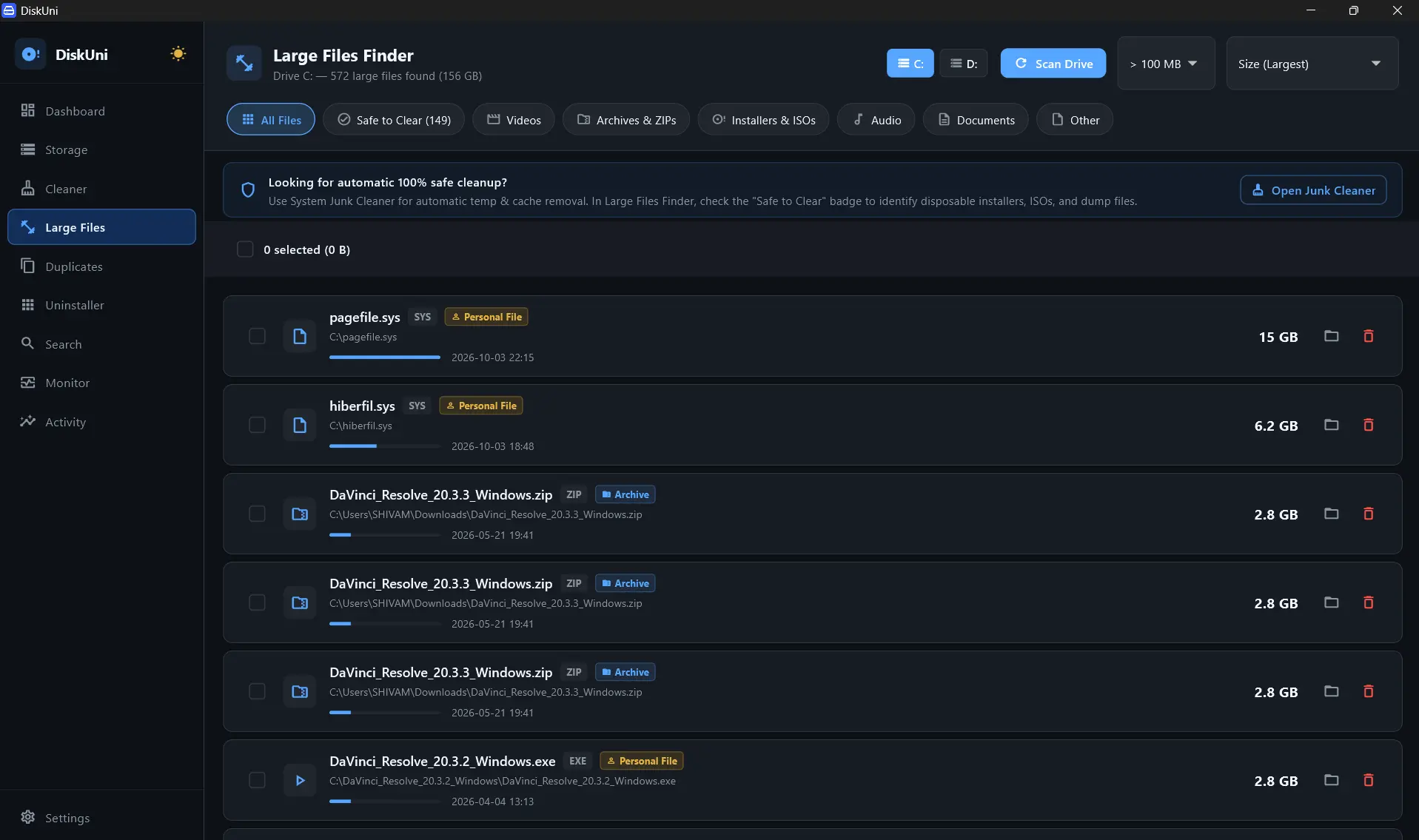
Direct Master File Table (MFT) / Inode header evaluation
Instantaneous size bucket sorting with zero lag
VMDK, VHDX, ISO, MP4, MOV, TAR.GZ, ZIP, 7Z, DMG, PKG
Identifies giant files unaccessed for >90 days
Multi-Tier Size Thresholds
Filter files dynamically with one-click toggles (>100 MB, >500 MB, >1 GB, >10 GB, >50 GB) to tackle the biggest culprits first.
Virtual Machine & Container Detection
Surfaces hidden `.vhdx`, `.vmdk`, `.qcow2`, and WSL2 virtual disk images that quietly swell to 80+ GB.
Dormancy Timestamp Analysis
Correlates file size with the last date of user interaction to highlight giant files untouched for 6+ months.
Safe Multi-Select Batch Staging
Select dozens of large files simultaneously, review total reclaimable gigabytes, and stage them for safe offloading or removal.
Instant Size Bucket Scan
DiskUni reads file size attributes across all connected drives in milliseconds.
Filter by Category or Age
Click 'ISOs & Installers' or 'Videos' to narrow down specific asset types, or filter by 'Unused > 90 Days'.
Move, Archive, or Purge
Batch select unwanted items and choose to move them to external backup, compress them, or securely purge.
Filter >10 GB Files
Instantly apply the 10 GB threshold filter to reveal massive space consumers.
Open File Location
Reveal the selected large file highlighted directly in Windows Explorer.
Can I filter large files by their last modified or opened date?
Yes! DiskUni allows you to filter large files by both size thresholds and dormancy (e.g., files larger than 5 GB not opened in the last 180 days).
Does it help locate hidden Docker and WSL2 virtual disks?
Absolutely. DiskUni specifically highlights `.vhdx`, `.vmdk`, and `ext4.vhdx` containers that typically hide deep in `%LOCALAPPDATA%`.
Can I move large files to an external drive instead of deleting them?
Yes. DiskUni includes a 1-click 'Transfer to External Volume' command with checksum verification.
Reclaim your drive's storage in seconds.
No subscriptions. No cloud uploads. Just a lightning-fast native tool that draws your drive to scale and clears the bloat safely.