
Scale-drawn visual treemap of every gigabyte on disk.
DiskUni's Storage module implements a state-of-the-art Squarified Treemap algorithm rendered at a blistering 60 FPS. Every folder and file block is drawn geometrically proportional to its exact byte size on disk. Easily zoom into nested folder hierarchies, pinpoint runaway log files or forgotten video renders, and filter the largest items with intuitive category chips.
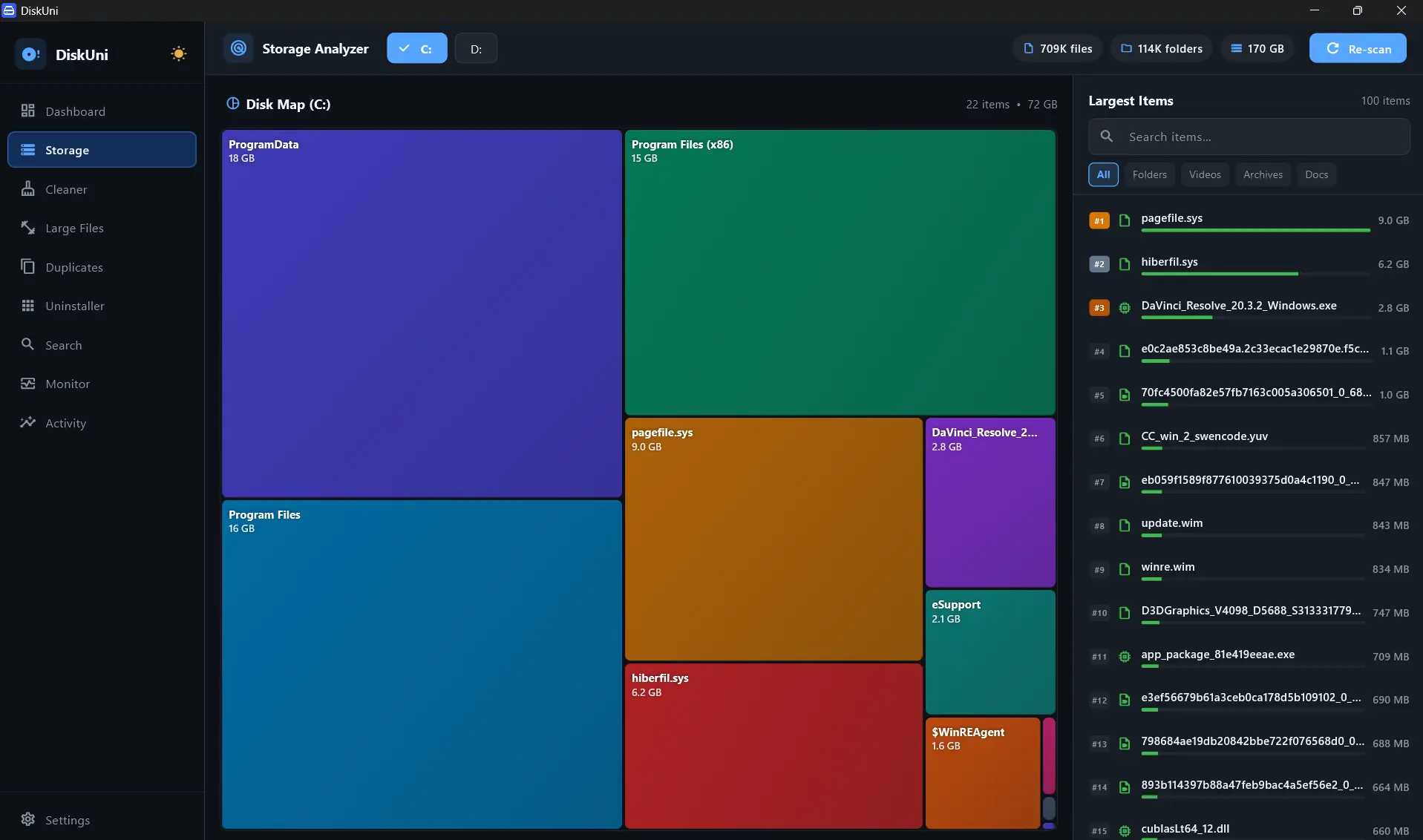
Optimal aspect-ratio rectangular packing for maximum legibility
Smooth GPU canvas pan, zoom, and drilldown
Navigate through 50+ nested directory layers instantaneously
Traverses 1,000,000 files in under 850 milliseconds
Proportional Area Representation
If a folder consumes 40% of your disk, its rectangle occupies exactly 40% of the visual treemap canvas.
Seamless Infinite Drilldown
Click any directory block to dive inside. Breadcrumb navigation allows instant 1-click jumps back up the folder tree.
Ranked Largest Items Sidebar
Real-time sorted list of top space consumers with quick category filters for Videos, ISOs, Archives, and Code.
Color-Coded File Taxonomy
Intuitive color coding distinguishes system binaries, media containers, compressed archives, and developer node modules.
Select Partition or Folder
Choose your entire root drive (C:), secondary SSD (D:), or pick a specific project directory to inspect.
Explore the Geometric Map
Hover over blocks to see exact byte sizes, modification dates, and relative disk percentages.
Surgically Act on Hotspots
Right-click or use action buttons to Reveal in Explorer, Stage for Deletion, or convert duplicates.
Drill Down Into Folder
Instantly re-focus the entire treemap onto the selected subfolder.
Ascend Directory Level
Step back up one level in the folder hierarchy effortlessly.
Search Current Map View
Highlight all matching files within the currently visible treemap boundaries.
How does the Squarified Treemap differ from traditional pie charts?
Pie charts become unreadable with more than 7 items. The Squarified Treemap packs hundreds of directories simultaneously into human-readable rectangles, preserving area proportions perfectly.
Can I inspect hidden system files and developer caches?
Yes! DiskUni can inspect hidden AppData folders, Docker virtual disks, WSL images, and package caches with full permission management.
Can I reveal the exact file in Windows Explorer / macOS Finder?
With a single click or keyboard shortcut (Enter), DiskUni reveals the highlighted file in your native file explorer.
Reclaim your drive's storage in seconds.
No subscriptions. No cloud uploads. Just a lightning-fast native tool that draws your drive to scale and clears the bloat safely.